azure
Deploying Azure Functions
We’re going to move the random bad-password code from the earlier Flask experiment to Azure Functions. It returns an entry from a list of terrible passwords; it isn’t a password generator we’d want anyone using for real accounts.
This lab uses the Python v1 programming model, with main() in __init__.py and bindings in function.json. New templates may use the v2 decorator model instead. Both are described in the Python Functions reference.
Fundamentals:
- We define a trigger for each function. The most simple might be time, where it just runs once per day. But new data in a blob is a common example; as is HTTP request. We’ll use the HTTP trigger to convert the password function.
- Consumption hosting can scale down between requests. Other Functions plans have different scaling and billing behavior, so “we only pay when the function runs” isn’t true of every plan.
- Execution count, memory and execution duration can all contribute to the bill, along with storage and networking. Check the hosting plan comparison before comparing this with an App Service Plan.
- There are options to use docker containers.
- It is sometimes called FaaS - Functions as a Service (ewww)
- There are ‘function apps’ available to group sets of Azure functions together.
- There are templates for the trigger types making it much easier to get going. For example HTTP trigger, Queue Trigger, Blob trigger, Timer Trigger. You download them for the preferred language and start coding.
Redeploying the Service with Functions
Looking at the original relevant function:
@app.route('/password', methods=['GET'])
def password():
    lines = open('pwds.txt').read().splitlines()
    return random.choice(lines) + "\n"
The first challenge is replacing simple read file against local storage with something that reads the bad password possibilities from Azure. We don’t really need strong authentication since the data is open source, although that’s not the only consideration. We would also like it to be fast and relatively cheap. We could probably just read the file from the public GitHub repo as well, although that seems slow and a little risky in case it moves.
I’m going to start out with the storage account that gets created when you create an Azure function; I’ll work with it using Azure Storage Explorer. Expand out ‘Blob Containers’ in the storage account that was created for the function and create a new blob container called ‘data’; copy the passwords file to the new blob.

From here I’ll just right click on the new file and choose to create a “Shared Access Signature”.
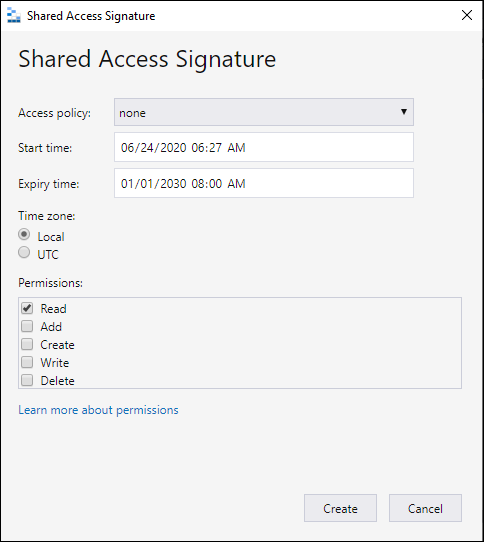
Then I’ll modify the application to use the URL rather than the local text file. I’m just going to use requests for now, leaving aside that there are more efficient and secure techniques available on the Azure platform.
The sample reads the URL from an app setting called PASSWORD_SOURCE_URL. That keeps a SAS token out of the source file, but it doesn’t make the token permanent: when it expires, reads will fail. For private blobs, managed identity with a scoped storage role avoids distributing a SAS token to the application.
The simplest way to get the application template to use Azure functions is to choose New - Azure Function from the azure section of visual studio code. It’ll ask you which language to use. Then you’ll be able to just paste in the modified function code.
Once I modified the previous example to use the azure storage I end up with an Azure Function that looks like this:
import logging
import os
import random
import requests

import azure.functions as func

def main(req: func.HttpRequest) -> func.HttpResponse:
    logging.info('Python HTTP trigger function processed a request.')

    source = os.environ.get("PASSWORD_SOURCE_URL")
    if not source:
        logging.error('PASSWORD_SOURCE_URL is not configured.')
        return func.HttpResponse('Service configuration is missing.\n', status_code=500)

    try:
        response = requests.get(source, timeout=(3, 10))
        response.raise_for_status()
    except requests.RequestException:
        # Don't log the URL: it may contain a SAS token.
        logging.error('Could not retrieve the bad-password list.')
        return func.HttpResponse(
            "We've hit a speedbump. Please bear with us.\n",
            status_code=502
        )

    lines = [line for line in response.text.splitlines() if line]
    if not lines:
        logging.error('The bad-password list was empty.')
        return func.HttpResponse('The password list is unavailable.\n', status_code=502)

    return func.HttpResponse(random.choice(lines) + "\n", mimetype='text/plain')
The status check is doing real work here. Without it, an expired SAS URL can return an XML error document, and our old code would happily choose a line of that error as the “password.” The timeout also gives the outbound request a limit; Requests doesn’t set one by default. The tuple sets connect and read timeouts, not a total execution deadline. Requests behavior.
For the v1 model, put this function.json beside __init__.py:
{
  "scriptFile": "__init__.py",
  "bindings": [
    {"authLevel": "anonymous", "type": "httpTrigger", "direction": "in", "name": "req", "methods": ["get"], "route": "password"},
    {"type": "http", "direction": "out", "name": "$return"}
  ]
}
That intentionally makes the toy endpoint public at /api/password with the default route prefix. authLevel: function would require a function key instead. For local testing, add PASSWORD_SOURCE_URL under Values in local.settings.json; set it separately in the deployed function app’s settings. HTTP trigger configuration.
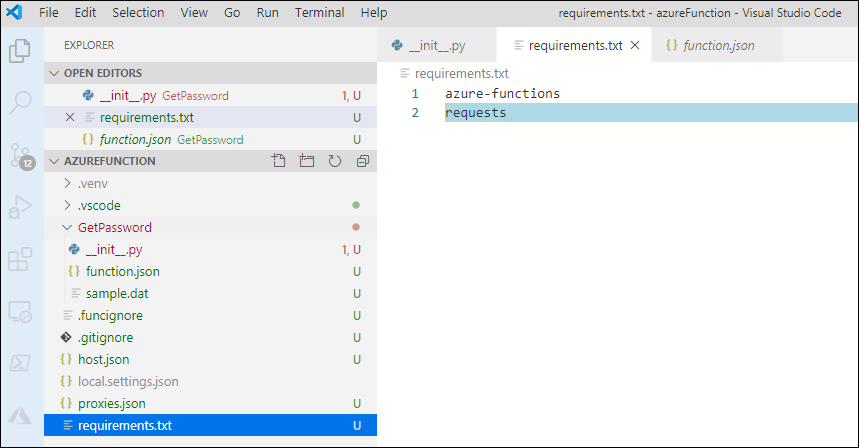
A small note here: Python Azure functions use a requirements.txt the same way you might with a Flask project. So to add support for the requests library we add it in the requirements file.
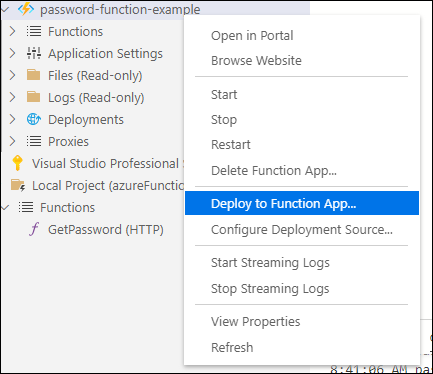
Once we’re ready we can go down to the Azure part of VS code and choose “deploy to function app”
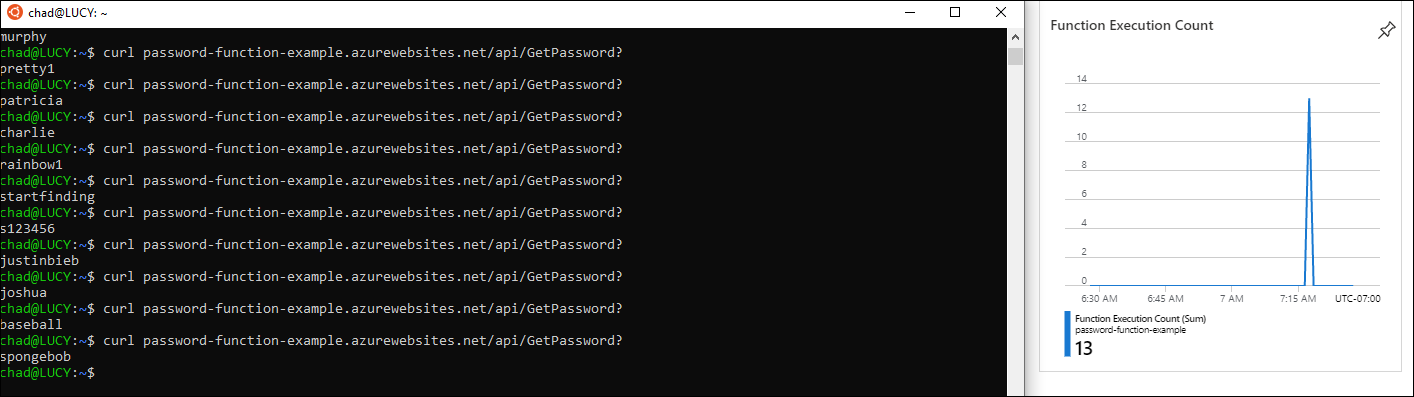
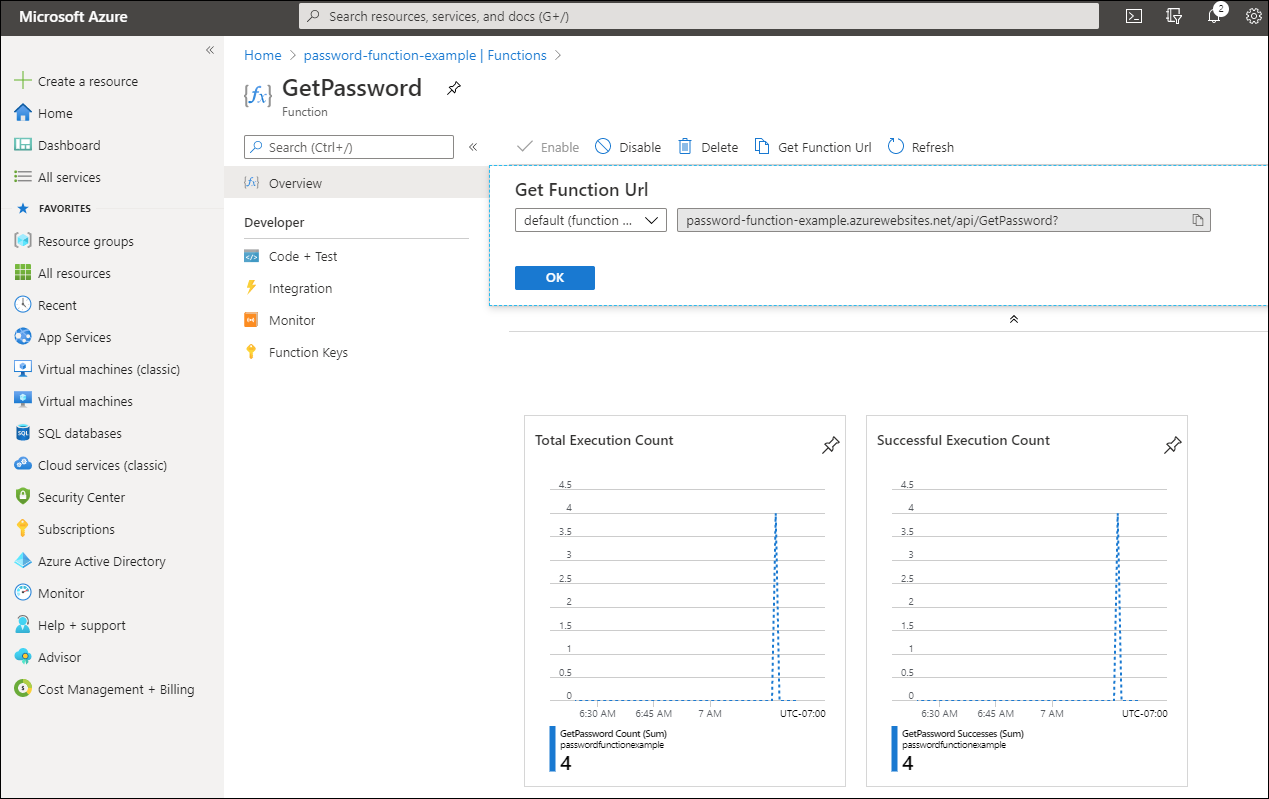
Then, if you’ve forgotten the url you configured for the function app, or you want to see stats about execution, you can see them in the azure portal:
A couple of useful checks
Try a missing setting, an expired SAS URL and an empty file as well as a successful request. Those should produce an error response, not an apparently successful password. Then check that the logs explain which step failed without including the SAS token.
This still downloads the file on every invocation. For a tiny static list, packaging the file with the function would remove that network dependency entirely. If the list needs to change independently, a short-lived in-memory cache is another option, but each worker will have its own copy and it can disappear when that worker is replaced.
We’re done. We’ve converted a Flask website running as an Azure application to a self contained function running with Azure Functions.