debugging · gdb
Debugging notes: GDB basics for CTFs and exploit-dev labs
Debugging notes for Linux processes. Mostly the commands I need when I’ve forgotten how to drive GDB again.
Get oriented
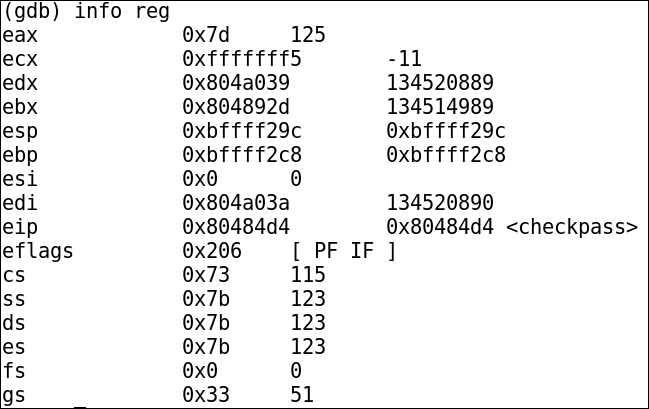
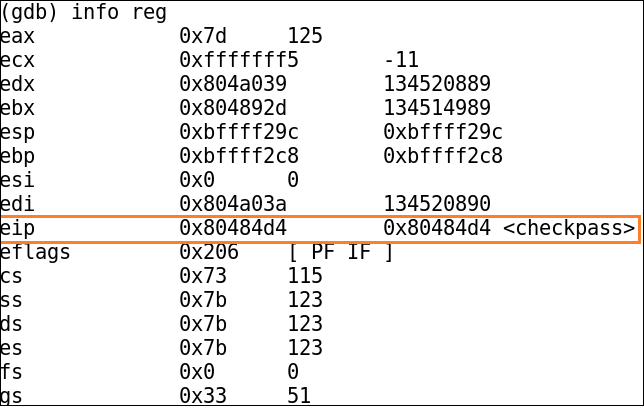
Display the current register state:
info reg
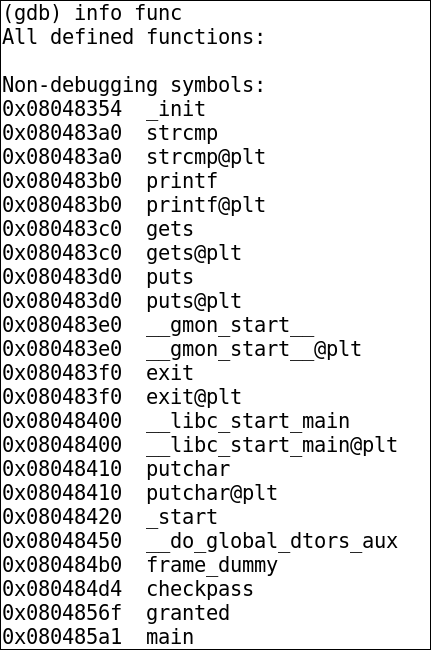
List functions that GDB knows about:
info func
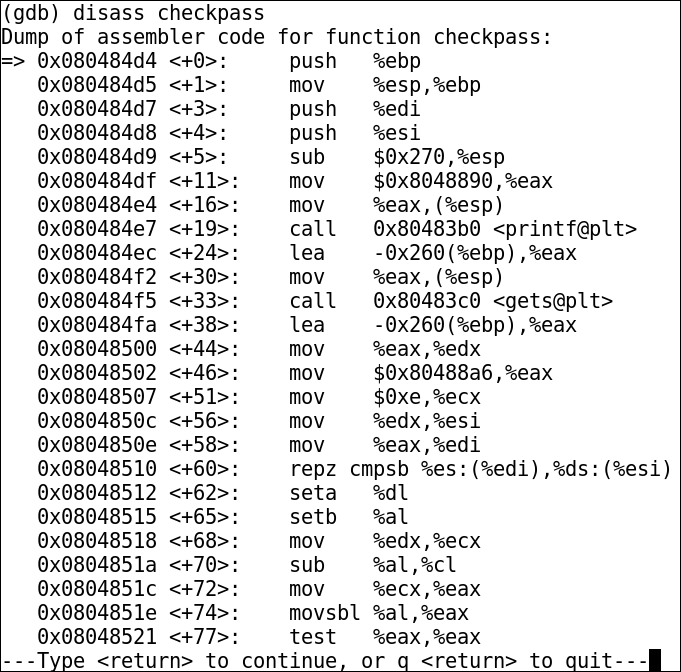
Disassemble a function:
disass functionname
If the output is easier for you to read in Intel syntax, switch the disassembly flavour:
set disassembly-flavor intel
To switch back to AT&T syntax:
set disassembly-flavor att
Break and resume execution
Set a breakpoint at an address:
break *0x080484d4
In this example, the checkpass function looks interesting, so execution is allowed to continue until the breakpoint is hit:
run
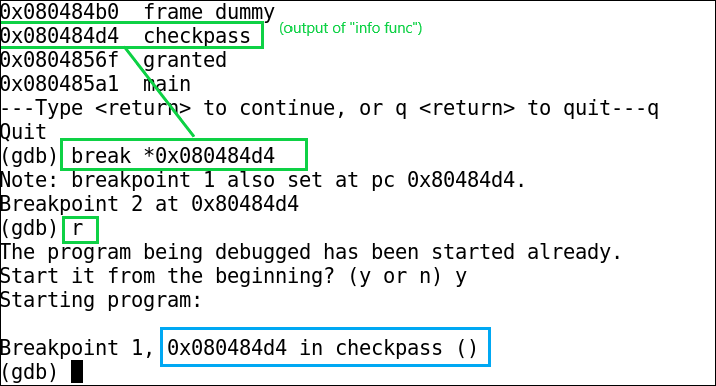
You can confirm the instruction pointer is sitting at the expected address:
List current breakpoints:
info break
Delete a breakpoint:
delete <breakpoint-number>
Inspect memory
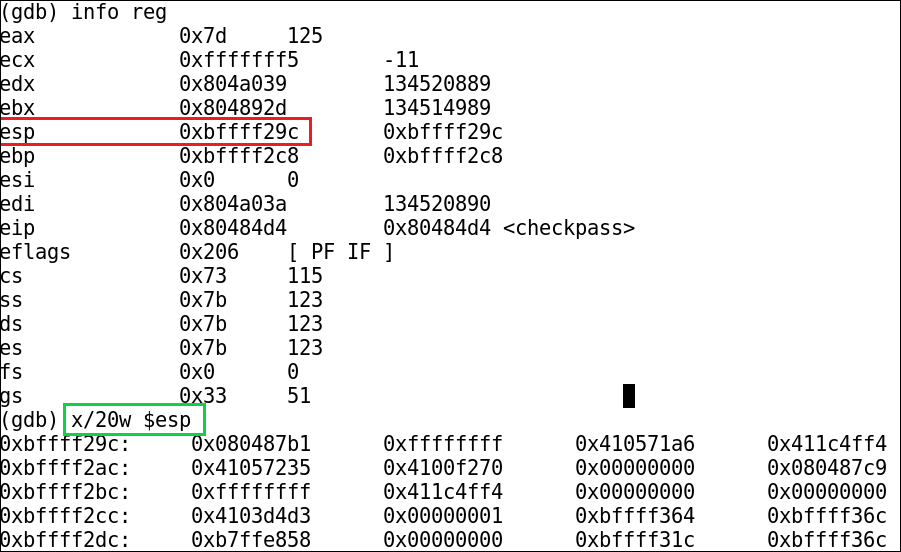
One easy thing to trip over: a GDB w is four bytes, even when the target is 64-bit. g is eight bytes. These screenshots use the x86 stack pointer, $esp; for an x86-64 process use $rsp. Adding x makes the output format explicitly hexadecimal, for example x/20xw $esp. The memory-examination reference spells out the size and format letters.
Display 20 words starting at the stack pointer:
x/20w $esp
Display 32 bytes starting at the stack pointer:
x/32b $esp

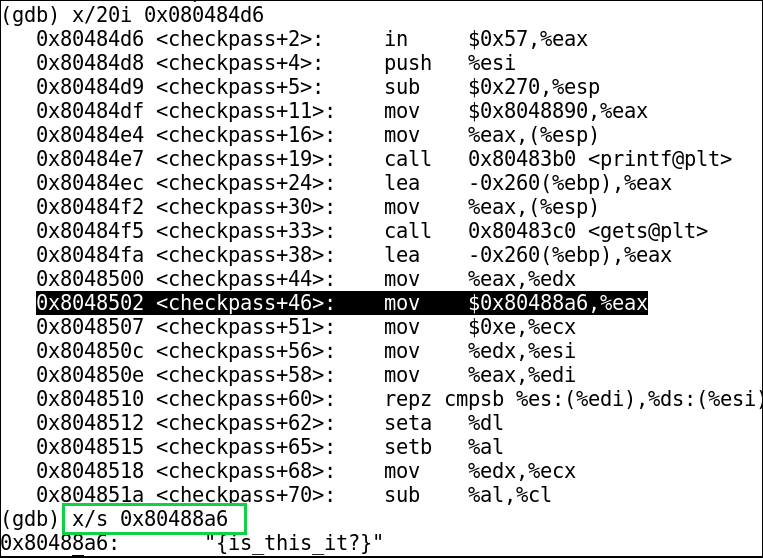
Display a string at a specific address:
x/s 0x80488a6
Display the instruction at a specific address:
x/i 0x80488a6
In this example, an interesting value is moved into EAX inside a function identified with info func. Because the challenge is password-related, that is a useful hint that the program may be loading a password or comparison value into a register:
Print useful values
Print a register:
print $esp
Print the address of a known symbol:
print system
Run with controlled input
For simple labs, it is common to run a program with generated input from Python:
run < <(python -c 'print "A" * 612 + "\x6f\x85\x04\x08"')
There is a space between the two < characters. This old example uses Python 2 syntax and a shell with process substitution, such as Bash. It won’t work unchanged with Python 3 or a shell that doesn’t support <(...).
In the original debug challenge, that input redirected execution to an access granted function and produced the flag.
