read
Very quick post to remind me how to set up the Wireguard client for Ubuntu quickly:
(Most of this is taken from the Algo project documentation)
First, visit the downloads page just to check that everything in the post has not changed:
Hopefully, for Ubuntu it’s still just a simple:
sudo apt install wireguard
Then, to configure the VPN tunnel:
- Locate the
.conffile you created with the algo wizard for the Ubuntu host. Mine is/home/chad/ubuntu.conf - Copy the
.conffile into the wireguard folder:sudo cp ubuntu.conf /etc/wireguard/wg0.conf - Start the algo service, passing in the conf file to use like:
sudo systemctl start wg-quick@wg0 - Confirm the service is running with:
sudo systemctl status wg-quick@wg0
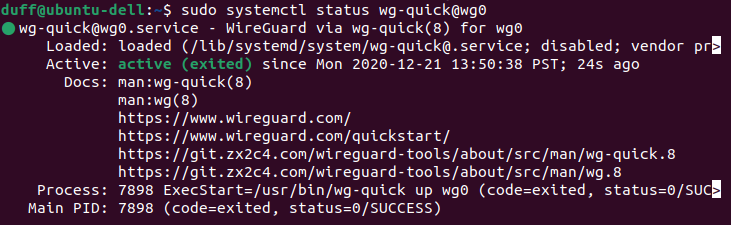
- Confirm the wireguard service is working as expected with
sudo wg - Check your new external IP address:
curl ipv4.icanhazip.com - If you like, have the tunnel start on reboot:
sudo systemctl enable wg-quick@wg0
